Brother SupportCenter1.4.9
Publisher Description



The mobile app that provides the latest support information
From 17 March 2025, the Brother SupportCenter app will no longer be available for downloading or use.
After the discontinuation date, use the apps and online help resources listed below.
Printers, DCPs, MFCs and Scanners
Depending on your model, download one of the following apps from Google Play (Android users) or the App Store (iOS users):
Brother Mobile Connect
Brother iPrint&Scan
You can check which app is compatible with your product on your local Brother website.
Home Sewing Machines and Cutting Machines
Visit the Brother support website at support.brother.com.
Brother SupportCenter App will provide you how to setup your Brother products, manuals, FAQ & Troubleshooting, and contact to Brother customer service.
You can also check remaining level of supplies.
Note: Some menues are available only to limited models.
This App will provide you following menu. For more detail, please refer to each description.
Product Setup:
You can view product setup video and/or setup guide.
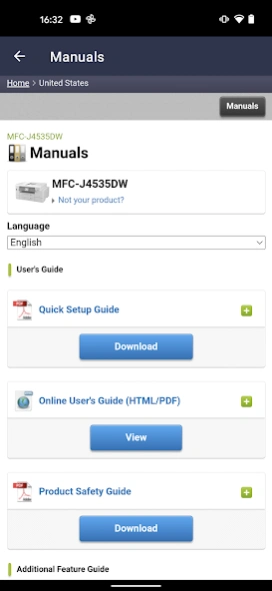
Manuals:
You can view product manuals.
Supplies:
You can view various information about your product supplies.
You can order supplies on-line, check genuine, recycle information, and so on.
Contact:
You can view contact to Brother customer service.
Device Status/Information:
You can view your product network status, serial number, and remaining amount of supplies.
User Setting:
You can check or change the country and language setting.
QR Code Reader:
You can scan QR and Data Matrix codes assigned to Brother products or manuals to obtain more information.
About Brother SupportCenter
The company that develops Brother SupportCenter is Brother Industries, Ltd.. The latest version released by its developer is 1.4.9.
To install Brother SupportCenter on your Android device, just click the green Continue To App button above to start the installation process. The app is listed on our website since 2024-07-29 and was downloaded 0 times. We have already checked if the download link is safe, however for your own protection we recommend that you scan the downloaded app with your antivirus. Your antivirus may detect the Brother SupportCenter as malware as malware if the download link to com.brother.product.bsc is broken.
How to install Brother SupportCenter on your Android device:
- Click on the Continue To App button on our website. This will redirect you to Google Play.
- Once the Brother SupportCenter is shown in the Google Play listing of your Android device, you can start its download and installation. Tap on the Install button located below the search bar and to the right of the app icon.
- A pop-up window with the permissions required by Brother SupportCenter will be shown. Click on Accept to continue the process.
- Brother SupportCenter will be downloaded onto your device, displaying a progress. Once the download completes, the installation will start and you'll get a notification after the installation is finished.
Program Details
System requirements
Download information
Pricing
Version History
version 1.4.9
posted on 2024-07-29
Minor Upgrading
“End-User License Agreement” and “Privacy Policy for Google Analytics usage information” revised
version 1.4.8
posted on 2023-10-30
Minor Revision
version 1.4.7
posted on 2023-09-19
Bug Fix of 1.4.6
version 1.4.5
posted on 2023-03-22
- Design Change
- Usability improvement
version 1.4.2
posted on 2022-04-12
Bug Fix
version 1.4.0
posted on 2022-03-29
Renewal of App design.
Model search capability by Bluetooth (Applied to P-Touch products)
version 1.3.8
posted on 2021-08-20
Dark theme support
Minor revisions
version 1.3.5
posted on 2020-08-05
Usability improvement
Dark mode support
version 1.3.4
posted on 2020-06-18
Usability improvement
version 1.3.3
posted on 2020-03-12
Addition of new function
